# 5 WordPress Features You'll Be Happy to Know About
Without a doubt, WordPress is the most popular content management system in the world, powering more than a quarter of the whole web. Tens of thousands of developers across the globe are constantly working on WordPress themes and plugins, while some of them are developing the WordPress core. Core WordPress features never finish forming, so new features emerge in each major version. Many WordPress features are right in front of you, but some of them aren't so well-known and needs to be pointed to. In this tutorial, I'm going to do exactly that: You'll learn about the features of WordPress that, hopefully, you haven't heard of.
## 1. The "All Options" Page
 WordPress has some kind of a "god mode" in the administration panel, which has all your site options in a single page. There is no link to it, actually, but you can access it by adding `options.php` to the end of your WP-Admin address, like this: > `http://example.com/wp-admin/options.php`
And voila! You can see all your options in that page. Keep in mind that you can't edit `SERIALIZED DATA` fields or add/delete anything, but you can edit everything else. ## 2. Speed Formatting with Markdown & Keyboard Shortcuts
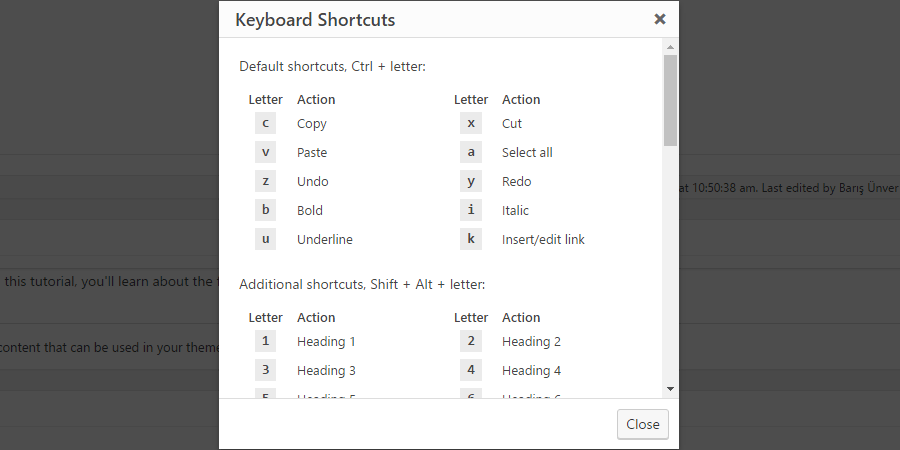 Did you know that you can begin a line with a hashtag and when you hit space, the line becomes a `` tag? Or have you noticed how beginning a line with the number "1", a dot (".") and a space (" ") creates an ordered list? The beauty of Markdown... And that's not all. Thanks to the keyboard shortcuts like `Alt + Shift + C` or `Ctrl + K` save me a lot of time when I edit my posts, and help me keep my *momentum*. (Mac users have different shortcuts, *as always*.) Even the Markdown & keyboard shortcuts modal (as seen above) has a shortcut! Hit `Alt + Shift + H` in Windows or `Ctrl + Option + H` in Mac to review all the shortcuts you can use. ## 3. *Automagical* Embeds
 Looking for "embed codes" for YouTube videos, Twitter tweets or Instagram images? Did you know that you can simply paste the link to what you want to embed, and it magically turns into the embed code? And it's not only for YouTube, Twitter or Instagram--as I'm writing this post, WordPress 4.6 has 32 different embeddable services. A full list of auto-embeddable websites are listed in the Codex, [go check it out](https://codex.wordpress.org/Embeds). Thank me later. ## 4. Paginated Posts with ``
 You might have come across with articles split into two or more *pages*, making the post a "paginated post". How do they do that? Easy: They add `` (in the Text editor, **not** in the Visual editor) each time they want to start a new page. Or they hit `Alt + Shift + P` (Windows) or `Ctrl + Option + P` (Mac). Piece of cake. If you have a long article and you're sure that people will want to see the next page, do it. ## 5. Quick & Inline Linking
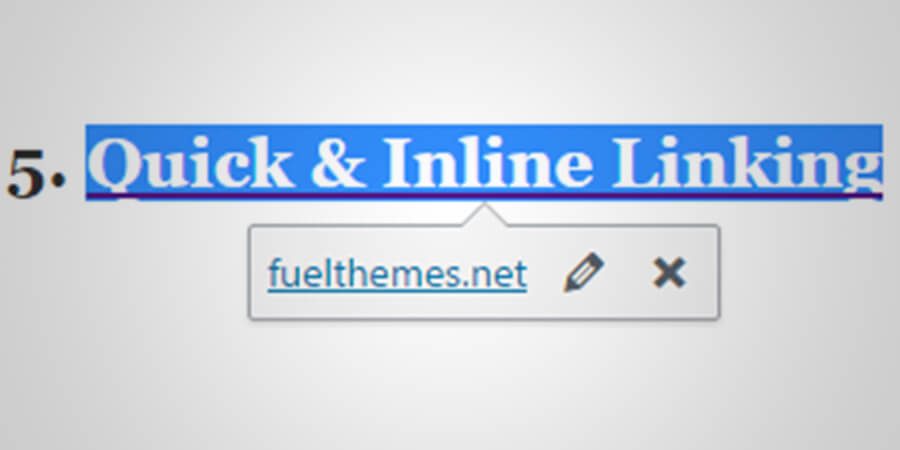 I saved my favorite trick for last. It's also the quickest one. 1. Copy any link to the clipboard.
2. Select the text you want to link to.
3. Hit `Ctrl + V` (Windows) or `Command + V` (Mac).
BAM--the text is linked now. How awesome is that? ## Conclusion
Even though some of these might be (should be?) offered as plugins, I'm glad WordPress has them. It makes the processes of writing and website management faster and easier. How do you think these features are? Do you know any other WordPress features that could be in this list? Share your comments below. And if you liked this article, don't forget to share it with your friends. Thanks for reading!