
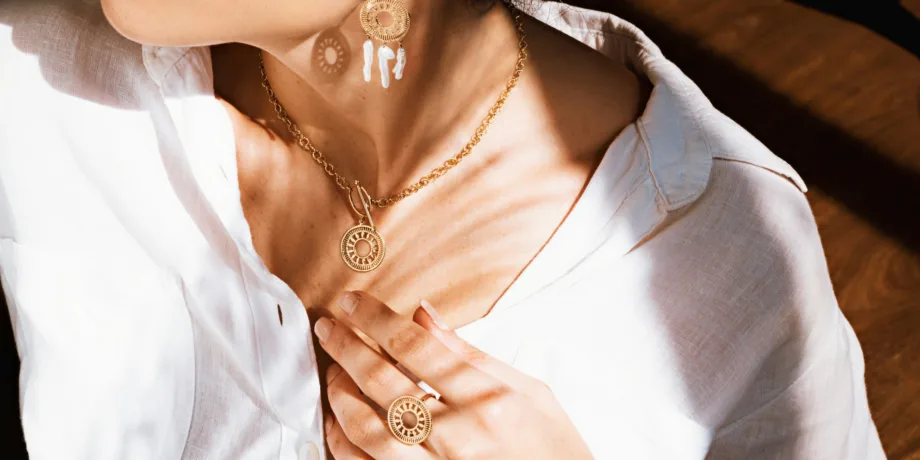
The best Shopify themes for jewelry stores are the ones that make a 2 cm ring look as good on a phone screen as it does in the hand: deep image zoom, metal-and-stone variants that swap the photos instantly, a size guide that answers “will it fit” before it becomes a return, and the gifting and trust details that high-ticket buyers look for before they pay. In 2026 our picks are Ascension for fine jewelry, Distinctive for fashion and demi-fine brands, Vision for story-led and ethical jewelers, Reformation for brands that sell jewelry alongside clothing, and Pinnacle for large catalogs.
Full disclosure: all five are our own themes, sold through the official Shopify Theme Store. That’s exactly why this guide is specific about where each one fits and where it doesn’t — we’d rather you buy the right one once than the wrong one and a second theme six months later. Whether you call it a jewelry store or a jewellery store, the requirements below are the same.
The short answer: which theme for which jewelry brand
| Your jewelry business | Best theme | Price | Why it fits |
|---|---|---|---|
| Fine jewelry, high-ticket pieces | Ascension | $400 | Built for luxury presentation, 5 product page layouts, gift wrapping, combined listings |
| Fashion and demi-fine jewelry | Distinctive | $360 | Image-forward product page, variant image sets, back-in-stock alerts |
| Ethical, lab-grown or handmade jewelry | Vision | $430 | Long-scroll storytelling pages, video in every media section |
| Jewelry plus apparel or accessories | Reformation | $430 | Lookbook product pages, quickshop, inline size guide |
| Large or wholesale jewelry catalog | Pinnacle | $430 | Four mega menu styles, deep filtering, metafield-driven specs |
All prices are one-time payments on the Shopify Theme Store, with updates included for the store you buy it for. If you’re weighing a paid theme against a free one in general, our premium Shopify themes buyer’s guide covers the full math.
What a jewelry store needs from a Shopify theme
Jewelry breaks the assumptions most Shopify themes are built on. The products are tiny, expensive, and nearly identical at thumbnail size. The buyer can’t touch them, can’t try them on, and is often buying for someone else. A theme that works well for t-shirts or candles can quietly fail a jewelry brand on every one of those points. Before comparing themes, get clear on the seven things that matter.
1. Image zoom that holds detail
Jewelry is judged on detail: the prongs of a setting, the finish of a clasp, the clarity of a stone, the hallmark stamp. That means your product gallery has to support true high-resolution zoom, not a blurry 2× enlargement of a compressed image. Shopify accepts product images up to 5000 × 5000 pixels (25 megapixels) and under 20 MB each, according to Shopify’s own product media requirements. Upload at the top of that range and let the theme’s responsive image system serve smaller versions to phones. The zoom only has something to show if the original file is large.
2. Variants that switch the photos
A single ring might come in yellow, white and rose gold, with two stone options and a dozen sizes. When a shopper taps “rose gold”, the gallery has to show rose gold — immediately, without scrolling past eight photos of the yellow version. Themes handle this with variant images, and the best ones go further with variant image sets: several photos assigned to each variant, with the photos for other variants hidden automatically. On jewelry, where metals look alike in small thumbnails, this is the difference between a confident purchase and a “which one did I pick?” return.
3. Swatches that look like metal
Text dropdowns (“Metal: 14K Rose Gold”) make shoppers do the translation work. Swatches do it for them. For metals, a flat color circle isn’t enough — polished gold, brushed silver and rose gold don’t read correctly as solid colors. All five themes in this guide support textured image swatches, so you can upload an actual close-up of each metal finish as the swatch.
4. A size guide customers actually open
Ring size is the single most common pre-purchase question for jewelry, and a wrong size is the most avoidable return. The theme should let you place a size chart right next to the size selector — as a popup or an accordion — instead of linking out to a separate page the shopper will never find. If you sell internationally, the chart needs to cover US, UK and EU ring sizing side by side, plus bracelet and necklace lengths.
5. Trust details for high-ticket purchases
The higher the price, the more a buyer looks for reasons to trust you: materials and purity, stone origin and certification, warranty, resizing and return policies, press mentions, real reviews. The theme should give you a clean place for each — product tabs or accordions for specs and care, a press coverage section, trust badges near the buy button — without cluttering the page.
6. Gifting built in
A large share of jewelry is bought as a gift, which changes the checkout. Shoppers want gift wrapping, a gift note, a clear “arrives by” date, and sometimes a gift receipt. Themes with native gift wrapping and cart notes save you an app for each.
7. Speed, despite heavy imagery
Big images and video are non-negotiable for jewelry, and they’re also exactly what slows a store down. The theme’s job is to load the first image fast and defer everything else. Google says plainly that Core Web Vitals are used by its ranking systems, and the commercial cost is real: Deloitte’s Milliseconds Make Millions study (2020, with Google) found that a 0.1-second mobile speed improvement lifted retail conversions by 8.4% and luxury page views per session by 8.6%. For a jewelry brand, both numbers apply.
The 5 best Shopify themes for jewelry stores in 2026
Ascension — best for fine jewelry and high-ticket pieces
Ascension is the theme we built for luxury presentation. Its Theme Store listing describes it as “crafted for luxury and elevated brand presence”, and that shows up in the details that matter to fine jewelry: restrained typography, generous whitespace, and product pages that let a single piece carry the screen.
Why it works for jewelry:
- Five product page layouts with adjustable dimensions, so you can match the gallery to your photography — a tall layout for necklaces and earrings, a wider one for bracelets and sets.
- Gift wrapping is built in, alongside cart notes for gift messages.
- Combined listing support is listed on the Theme Store. If you’re on Shopify Plus, the Combined Listings app lets you publish each metal as its own product (with its own reviews and SEO page) while shoppers still see one product with metal options.
- Age verifier and quantity pricing for brands that also sell trade or wholesale.
- Size chart, product tabs, lookbooks and image hotspots — everything you need for ring sizing, certification details and “shop the look” editorials.
- Google Maps store locator for brands with a showroom or stockists.
Setup tip: use the pre-built landing page templates for collection launches and bridal campaigns rather than rebuilding them from sections each time.
Watch out for: Ascension is deliberately minimal. If your brand is loud, colorful and trend-driven, its restraint will fight you — Distinctive is the better fit.
Price and rating: $400, one-time; 94% positive on the Shopify Theme Store at the time of writing.
Distinctive — best for fashion and demi-fine jewelry
Distinctive is the most visually driven theme in our lineup, and it’s the one we’d pick for fashion jewelry, demi-fine collections and accessory brands that sell on imagery and drops. Its product page layout pushes the images forward, the header can change color with each slideshow transition, and scroll-based animations give editorial pages movement without video.
Why it works for jewelry:
- Variant image sets — the feature described above. Assign several photos to each metal or color, and the gallery hides the rest automatically. For jewelry, this is Distinctive’s single strongest advantage.
- Back-in-stock alerts are native, which matters for limited drops and restocks of bestsellers. It’s the only theme in our lineup with this built in.
- Gift wrapping built in.
- Sibling products, for linking separate products (for example, the same design in different stones) as if they were variants — our comparison of Combined Listings and Product Siblings explains when to use which.
- Lookbooks and image hotspots for campaign imagery.
Setup tip: give each metal its own variant image set, including an on-model shot. On-model photos answer the scale question (“how big is it really?”) that flat-lay shots can’t.
Watch out for: Distinctive doesn’t include the Google Maps store locator. If physical stockists are central to your brand, Ascension or Vision cover that natively.
Price and rating: $360, one-time; 92% positive on the Shopify Theme Store.
Vision — best for ethical, lab-grown and handmade jewelry
Some jewelry sells on sparkle. Some sells on a story: recycled gold, traceable or lab-grown stones, a maker’s bench, a family workshop. Vision is our long-form storytelling theme, built for exactly that second kind of brand. Product pages alternate image and text blocks like a magazine feature, and every media section supports Shopify-hosted video.
Why it works for jewelry:
- 36+ sections for building long product and brand pages: sourcing, process, founder, craftsmanship, care.
- Video everywhere — a 10-second loop of a ring turning in light does more than any description of “brilliance”.
- Product tabs and usage information blocks for the specifications buyers of ethical jewelry actively look for: metal source, stone origin, certification number, carbon or recycling claims.
- Multiple product card variations, so collection grids can show a second image on hover or a clean single shot, depending on your photography.
- Google Maps store locator for studios and stockists.
Setup tip: put your sourcing proof directly on the product page, not only on an About page. A shopper comparing two lab-grown engagement rings decides on the product page.
Watch out for: Vision is built for long pages. If you sell hundreds of low-priced fashion pieces that need to move fast through a grid, the storytelling depth is wasted — look at Distinctive or Pinnacle.
Price and rating: $430, one-time; 88% positive on the Shopify Theme Store.
Reformation — best for jewelry sold alongside clothing
Plenty of jewelry brands aren’t only jewelry brands. If you sell pieces alongside apparel, bags or accessories, Reformation is the theme that handles both without compromise. It’s our editorial fashion theme, and fashion merchandising patterns translate well to jewelry.
Why it works for jewelry:
- Lookbook product pages and quickshop on collection grids, so shoppers can add a pair of earrings to an outfit without leaving the page.
- Multiple hover images on product cards — a flat-lay on the first image, on-model on hover.
- Inline size-guide accordion next to the size selector, useful for rings and apparel alike.
- Sticky add-to-cart on long product pages.
- Sibling products, age verifier and quantity pricing included.
Setup tip: build a “complete the look” row on apparel product pages that pulls in jewelry. Cross-selling from clothing to jewelry is the most natural add-on in fashion.
Watch out for: if jewelry is your entire catalog, Reformation’s apparel-oriented features (size-and-fit tooling for clothing ranges) go unused. Ascension or Distinctive will feel more focused.
Price and rating: $430, one-time; 93% positive on the Shopify Theme Store.
Pinnacle — best for large and wholesale jewelry catalogs
At a few hundred SKUs, jewelry navigation becomes a real problem: shoppers need to filter by metal, stone, price, style and occasion at the same time. Pinnacle is our catalog theme, built for exactly this.
Why it works for jewelry:
- Four mega menu options, so you can organize by category (rings, earrings, necklaces), by metal, and by collection within one menu.
- Advanced filtering and swatch filters, driven by product metafields — filter by metal, stone type, carat range or occasion.
- Metafield-driven specification blocks, so carat weight, dimensions and purity are pulled from structured data instead of retyped into every description.
- 30+ sections and a sticky add-to-cart.
Setup tip: define your filters before you import products. Filters are only as good as the metafields behind them, and retrofitting 800 products is painful.
Watch out for: Pinnacle is a catalog theme first. A small fine-jewelry atelier with 30 pieces will find it busy — Ascension suits that brand better.
Price and rating: $430, one-time; 86% positive on the Shopify Theme Store.
What about free themes?
If budget is the constraint, Shopify’s free Horizon theme lists jewelry and accessories among its target industries and is a reasonable starting point. You’ll give up variant image sets, native gift wrapping and the deeper layout options above, and you’ll likely add apps to cover them. Our Dawn theme review walks through what free themes do and don’t cover in more detail.
Which theme fits your jewelry business model
The same theme can be perfect for one jewelry brand and wrong for the next. Here’s how we’d match them by business model rather than by aesthetic.
| Business model | Typical catalog | Start with | Also consider |
|---|---|---|---|
| Fine jewelry atelier | 20–150 pieces, $500+ | Ascension | Vision |
| Bridal and engagement | Settings × stones, custom work | Ascension | Vision |
| Demi-fine DTC brand | 50–300 pieces, $50–$500 | Distinctive | Reformation |
| Fashion jewelry and accessories | 200+ pieces, frequent drops | Distinctive | Pinnacle |
| Handmade or artisan jeweler | 20–200 one-offs and small batches | Vision | Ascension |
| Ethical or lab-grown diamonds | Mid catalog, story-heavy | Vision | Ascension |
| Jewelry plus apparel | Mixed categories | Reformation | Distinctive |
| Wholesale or multi-brand retailer | 500+ SKUs | Pinnacle | Reformation |
Two rules of thumb sit behind this table. First, the fewer and pricier your pieces, the more your theme should behave like a gallery — Ascension and Vision. Second, the more pieces you sell and the faster they turn over, the more your theme should behave like a store — Distinctive, Pinnacle and Reformation.
How to build a jewelry product page that sells
Choosing the theme is half the job. The other half is how you configure the product page, because that’s where jewelry is won or lost.
Photography: what each product needs
A jewelry product page should answer four visual questions: what does it look like, how big is it, what are the details, and how does it look worn. In practice that means six to ten images per piece:
- A clean, front-facing hero shot on a neutral background.
- Two or three angles (side profile matters for rings — it shows the setting height).
- A macro detail shot of the setting, clasp or engraving.
- A hallmark or stamp close-up for fine jewelry.
- On-model or on-hand shots for scale.
- A packaging shot if you sell for gifting.
Add a short video wherever you can. Stones are designed to move light, and a still photo can’t show that.
3D models and augmented reality
Shopify supports 3D models on product pages in GLB and USDZ formats, up to 500 MB per file; files over 15 MB are optimized automatically (Shopify product media types). For rings especially, a 3D model a shopper can rotate answers “what does the side look like?” better than any photo. Before you invest in 3D production, confirm the theme’s product gallery renders 3D media the way you want — ask the theme developer (us included) before you commission models.
Variant architecture: plan it before you import
Shopify lets you create up to 2,048 variants per product with up to three options (Shopify variants help). That’s plenty for most jewelry: a ring in three metals, four stone options and twelve sizes is 144 variants.
The real decision is what should be a variant and what should be a separate product:
- Metal and size are almost always variants. The design is the same; the shopper is choosing a version.
- Stone type can go either way. A sapphire version and a diamond version of the same ring at very different prices often deserves its own product page, its own reviews and its own search ranking — link them as sibling products or combined listings so shoppers can still switch between them.
- Chain length is a variant; pendant plus chain bundles are usually better as separate products with a cross-sell.
Ring sizes and size guides
Put the size guide next to the size selector, not in the footer. Include US, UK and EU sizing in one table, plus the inner diameter in millimetres. Add three practical tips for measuring at home, and state your resizing policy right there: free resizing within 30 days (or whatever you offer) removes the biggest risk from the purchase. All five themes in this guide include a size chart feature you can attach to the product page.
Specifications in tabs, not paragraphs
Jewelry specifications are structured data: metal and purity, stone type and carat weight, dimensions, chain length, clasp type, certification. Put them in product tabs or accordions, ideally pulled from metafields so they stay consistent across the catalog. Buyers scan specs; they don’t read them in prose. Keep the description itself for what the specs can’t say — the design idea, the occasion, the feeling.
Price, payment and installments
Show the price. “Price on request” makes sense for one-of-a-kind high jewelry, but for anything a shopper might buy online it costs you sales. For higher-ticket pieces, make installments visible on the product page. Shop Pay Installments covers orders from $35 to $30,000 USD in the United States (and similar ranges in Canada and the UK), according to Shopify’s Shop Pay Installments documentation. Seeing “or 4 payments of…” next to a $1,200 ring changes the decision.
Collection pages and navigation for jewelry
Jewelry shoppers browse in three different ways, and your navigation should support all three:
- By type — rings, earrings, necklaces, bracelets.
- By attribute — metal, stone, price range.
- By occasion or recipient — engagement, anniversary, birthday, gifts for her, gifts under $200.
A mega menu is the natural place to combine these. Rather than burying “Gifts under $200” three clicks deep, put it next to the product types in the menu — every theme in this guide includes a mega menu, and Pinnacle offers four different styles.
On collection pages, filters do the heavy lifting. Shopify’s free Search & Discovery app lets you create filters from product metafields, so “metal”, “stone” and “occasion” can all become filters as long as the data is in place. Use swatch filters for metals, so shoppers filter by clicking a rose-gold swatch rather than reading a checkbox list.
Editorial pages help too. A lookbook or campaign page with image hotspots — tap the earrings in the photo, see the product — turns brand imagery into a shoppable page. Every theme in this guide includes image hotspots.
Trust and gifting: the details that close high-ticket sales
A shopper who has found the right piece still needs a reason to trust you with a few hundred or a few thousand dollars. Put these where the buying decision happens, not only in the footer:
- Materials and certification — metal purity, stone certification (for example GIA or IGI grading reports for diamonds), and where the materials come from.
- Warranty and care — what’s covered, for how long, and what care looks like.
- Returns and resizing — especially for rings, and especially clear about exclusions such as engraved pieces.
- Reviews with photos — customer photos of jewelry being worn are more persuasive than any studio shot. A reviews app that shows photo reviews inside the product page (as an app block) is worth its cost for jewelry.
- Press and social proof — a press coverage strip near the top of the homepage or product page.
Then make gifting effortless:
- Gift wrapping at checkout — native in Ascension and Distinctive in this lineup.
- Gift notes through cart notes, supported by every theme here.
- Delivery dates — shipping and delivery information blocks near the buy button, updated before Valentine’s Day, Mother’s Day and the holiday season.
- Gift cards for shoppers who can’t decide.
- Gift guides by price and recipient, linked from the mega menu.
Keeping a jewelry store fast
Jewelry stores carry more image weight than almost any other category, which makes speed discipline essential. Four habits keep a heavy store fast:
- Upload large originals, serve small copies. Upload at full resolution and let the theme’s responsive images send phones the size they need. Never upload pre-shrunk images to “save space” — that’s what makes zoom blurry.
- Only the first image loads eagerly. The hero image should load immediately; everything below it should lazy-load. Good themes do this by default — don’t override it with an app.
- Short, muted video loops. Use Shopify-hosted video, keep loops short, and avoid autoplaying multiple videos above the fold.
- Audit your apps. Every review widget, popup and upsell app adds JavaScript. Our guide to fast Shopify product pages covers the less-apps approach in detail.
Google’s Core Web Vitals thresholds are the targets to hold: Largest Contentful Paint within 2.5 seconds, Interaction to Next Paint within 200 milliseconds, and Cumulative Layout Shift under 0.1, measured at the 75th percentile of real visits. Before you buy any theme, run its demo store through PageSpeed Insights on mobile, then do the same after you’ve loaded your own imagery.
Common mistakes jewelry brands make on Shopify
Compressing images before upload. The most common and most damaging mistake. A 900-pixel image can’t zoom, and on jewelry, zoom is the product.
Photographing everything flat. Flat-lays are clean but give no sense of scale. Every piece needs at least one on-body shot.
Splitting metals into separate products without linking them. Three products with three sets of reviews, and no way for the shopper to switch metals. Use variants, or link the products as siblings or combined listings.
Hiding the size guide. If the size guide is a footer link, most shoppers will guess — and a wrong guess becomes a return or a resize.
Discount-heavy popups on fine jewelry. A “10% off your first order” popup on a $2,000 engagement ring page undercuts the positioning you paid for. Save discounts for fashion jewelry and gifting events.
Dark themes with thin gold text. It looks luxurious in a mockup and fails in practice — low contrast is hard to read on phones and fails accessibility checks. Luxury is restraint, not darkness.
No delivery dates before gifting season. If a shopper can’t tell whether a necklace arrives before the 14th, they buy somewhere that tells them.
Frequently asked questions
What is the best Shopify theme for a jewelry store?
For fine jewelry and high-ticket pieces, Ascension; for fashion and demi-fine jewelry, Distinctive; for ethical, lab-grown or handmade jewelry, Vision; for brands selling jewelry with clothing, Reformation; and for large catalogs, Pinnacle. The right choice depends on catalog size and price point more than on aesthetics — fewer, pricier pieces suit a gallery-like theme, while larger, faster-moving catalogs need stronger navigation and filtering.
Is there a good free Shopify theme for jewelry?
Shopify’s free Horizon theme lists jewelry and accessories among its target industries and is a reasonable starting point for a small catalog. Free themes typically lack variant image sets, native gift wrapping and multiple product page layouts, so expect to add apps as you grow. Once app costs pass a premium theme’s one-time price, a paid theme is usually the better deal.
How do I set up ring sizes on Shopify?
Add size as a product option, so each size is a variant with its own inventory. Then attach a size chart next to the size selector, covering US, UK and EU sizes and inner diameter in millimetres, and state your resizing policy on the product page. All five themes in this guide include a size chart feature for this.
How do I show different metal colors on a Shopify jewelry product?
Add metal as a product option, assign images to each metal variant, and use image swatches showing each metal’s real finish. For the best result, use a theme with variant image sets — such as Distinctive — so selecting a metal shows only that metal’s photos. On Shopify Plus, combined listings let each metal be its own product while still appearing as one.
Can Shopify show 3D models or AR for jewelry?
Yes. Shopify supports 3D models in GLB and USDZ formats up to 500 MB, and customers on supported devices can view them in augmented reality. Whether they appear on your product page depends on your theme’s media gallery, so confirm 3D support with the theme developer before commissioning models.
How many photos should a jewelry product page have?
Six to ten is a good target: a hero shot, two or three angles, a macro detail, a hallmark close-up for fine pieces, one or two on-body shots for scale, and a packaging shot if you sell for gifting. Add a short video for anything with stones.
Can I sell custom or engraved jewelry on Shopify?
Yes. Simple engraving works with a text field on the product page, usually through a product options app, while complex made-to-order work needs a dedicated personalization app. Our guide to Shopify themes for personalized products covers the options and which themes handle them best.
Do I need a jewelry-specific Shopify theme?
No. Jewelry-specific themes mostly offer a visual style, and styles can be changed. What matters is function: deep zoom, variant image handling, swatches, size charts, gifting and speed. A well-built general premium theme with those features will outperform a niche theme that only looks the part.
Build a jewelry store that shows every detail
Pick the theme that matches how you sell: Ascension for fine pieces that deserve a gallery, Distinctive for fashion and demi-fine drops, Vision for jewelry with a story to tell, Reformation for jewelry in a fashion catalog, and Pinnacle for catalogs that need serious navigation. Then invest in the two things no theme can do for you — large, honest photography and a clear size guide.
Every theme above has a live demo on the Shopify Theme Store. Open the demo on your phone, zoom into a product image, switch a variant, and check that it feels right before you buy. Browse all seven in our Shopify themes collection.